Sound familiar? Another Messenger notification pops up: “Hi, how much for an interior design project?” No context, no details, no mention of square footage or budget. You reply, you ask follow-up questions, and then… three days of radio silence. Meanwhile, you could have spent that time on a client who is actually ready to sign a contract.
If you run an interior design studio, handle home staging, or offer comprehensive “turnkey” renovations, this article is for you. I’ll show you how to build a simple and elegant sales funnel in Messenger that automatically qualifies leads, gathers key information, and schedules consultations with people who are truly ready to invest in professional design. You don’t need to be a developer or have a massive tech budget. All it takes is one afternoon, a little patience, and a desire to streamline your client acquisition process.
Why asking “how much does a project cost?” is a dead end
Every interior designer hits the same wall eventually. A potential client sends a brief message expecting a specific quote before they’ve even mentioned what they actually need. It’s a bit like walking into a tailor and asking, “How much for a suit?” without specifying if you want an off-the-rack model or a bespoke piece made from Italian wool.
The problem lies on both sides. The client doesn’t know what information you need for a quote. They aren’t familiar with the design process, they don’t see the difference between a concept design and a full technical package, and they often have no clue that the cost depends on dozens of variables. You, on the other hand, lack a tool that naturally and politely guides them through the data-gathering process. As a result, you waste time on repetitive questions or send over vague price ranges that rarely satisfy anyone.
There’s also a third problem that rarely gets talked about. When you respond to every general inquiry individually, you’re spending the same amount of energy on a client with a five-thousand-dollar budget as you are on someone ready to invest a hundred and fifty thousand. Without initial qualification, you have no idea who you’re talking to until you’ve exchanged a dozen messages. That’s a costly waste of time, especially if you’re running a solo studio or working in a small team.
The solution is an automated qualification funnel—a sequence of questions that replaces the initial “message ping-pong” and allows you to focus on conversations with people who are genuinely interested in working with you.
What is a qualification funnel and how does it work in Messenger?
A qualification funnel is simply a structured path that a potential client follows from the first point of contact to booking a consultation. Instead of a chaotic exchange of messages, the user answers a series of thoughtful questions, and at the end, you receive a complete set of information needed to prepare for a discovery call.
Imagine this: a client clicks a button on your website or an Instagram ad. Messenger opens, and instead of a blank window, they’re greeted by a friendly welcome message. A chatbot holds their hand through four simple steps—asking about the property type, square footage, scope of work, and budget. Finally, it suggests a consultation time. The whole process takes about a minute, and you get a tidy summary of the new lead in your inbox.
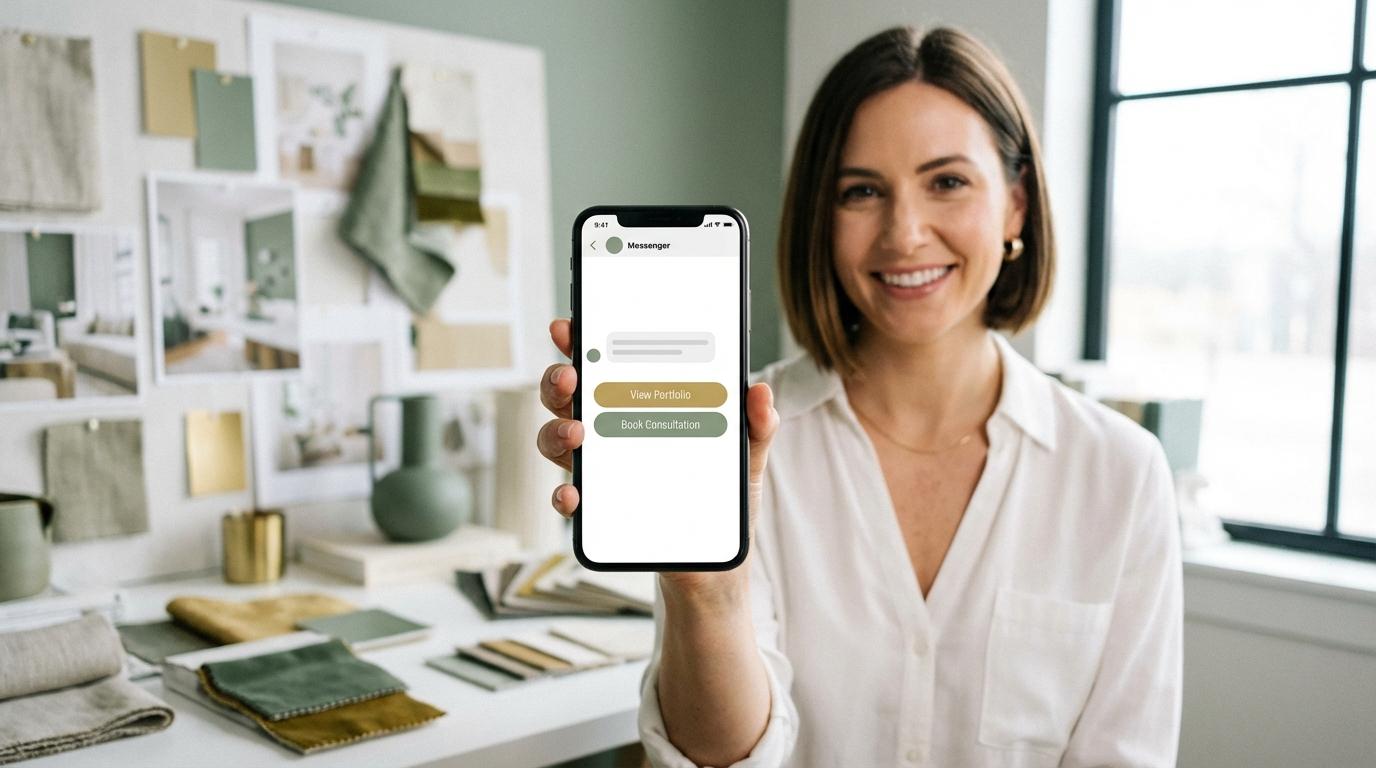
In practice, this funnel is built using Messenger automation tools like ManyChat. The chatbot asks questions using convenient selection buttons, making the process feel more like a pleasant conversation than filling out a boring form. Crucially, it all happens in a channel the client already knows and uses daily. They don’t have to download an app, create an account, or leave the ecosystem where they feel comfortable.
The tools you need to build the funnel
The good news is that you don’t need advanced technical knowledge or expensive software. The basic toolkit includes:
- A Facebook Business Page or Instagram Professional account to connect the automation. If you’re still using a personal profile, switching to a business account takes literally minutes.
- ManyChat (Free or Pro version). The free version is enough to get started and allows you to handle up to 1,000 active contacts. The Pro version costs roughly the price of a few cups of coffee per month and unlocks advanced features like segmentation, tags, and external integrations.
- Calendly or another online scheduling tool (like Cal.com or TidyCal). The client chooses an available slot themselves, and you get a notification. Calendly’s free version allows for one event type, which is plenty to start with.
- Optional: A Facebook Pixel and Ad Account if you want to drive paid traffic to the funnel. This is for a later stage once your funnel is tested and optimized.
Everything can be set up in a single afternoon, and you’ll see results as soon as your first campaign goes live. You don’t need a single line of code—ManyChat works on a visual editor where you simply drag blocks and connect them with arrows.
Where the funnel begins: Customer entry points
Every funnel needs a “start point”—the place where the client initiates contact. For Messenger, two solutions are most common, and ideally, you should implement both simultaneously.
A website button. On your main site or portfolio landing page, place a visible button with a CTA like: “Want a quote for your project? Let’s talk!” Once clicked, Messenger opens and the chatbot automatically starts the conversation. This works best on pages showcasing your past work. The client sees beautiful interiors, their desire to collaborate grows, and the contact button is right there. Place it strategically: on the homepage, in the gallery, on the pricing page (if you have one), and in the footer.
Facebook or Instagram Ads. Create an ad with an eye-catching visual (e.g., a “before and after” shot) and choose “Messages” as the campaign goal. The client clicks the ad, lands in Messenger, and immediately enters the qualification funnel. This is highly effective because you’re reaching people actively interested in interior design, and the Facebook algorithm eventually learns which profiles are most likely to start a conversation. In practice, the longer the campaign runs, the better optimized your results become.
There’s also a third, often overlooked entry point: comment automation. If someone comments on your Instagram or Facebook post, ManyChat can automatically send them a private message inviting them into the funnel. It’s subtle yet very effective, as anyone interacting with your content is already “warm.”
Step one: Property type
After greeting the client, the chatbot asks the first question: “What kind of space are you looking to design?” The user sees buttons with options like: Apartment, House, Office, or Commercial Space.
This question serves two purposes. First, it allows you to immediately gauge the scale of the potential job. Designing a studio apartment is a completely different beast than arranging a 2,000-square-foot home. Second, the client feels the conversation is professional and tailored to their specific situation. It’s not a mass survey—it’s a personalized chat, just handled by a smart bot.
Remember to keep the bot’s tone warm and natural. Instead of a dry “Select property type,” try: “It’s great to have you here! To get started, tell me—what kind of space are we transforming?” Small changes in tone significantly impact whether a client proceeds to the next step or closes the window.
It’s also worth adding a brief note under the buttons, like: “Don’t worry, this only takes a minute. At the end, we’ll offer you a slot for a free consultation.” This reassurance reduces friction and motivates them to finish the path.
Step two: Square footage and scope of work
Once you know if it’s an apartment, house, or office, it’s time to get specific. The chatbot asks for the approximate square footage (e.g., in ranges: under 500 sq ft, 500–1,000 sq ft, etc.) and the scope of services the client is interested in.
You can present the scope of work in three or four options:
- Concept Design: mood boards, color palettes, and initial visualizations.
- Detailed Design: full technical documentation and construction drawings.
- Full Service: design, project management, and site supervision.
- Home Staging: preparing a property for sale or rent.
At this stage, the funnel begins to act as a filter. Someone looking only for “inspiration” without being ready for a specific service likely won’t move forward. Conversely, a client with clear needs will flow right into the next question. This is natural selection working in your favor without you lifting a finger.
If you want to go the extra mile, you can add dynamic elements here. For example: if the client selects “home staging,” the chatbot could display a carousel of your best staging projects. If they choose “Full Service,” they might see a brief breakdown of what that package includes. This way, the funnel doesn’t just collect data—it educates the client and builds your authority.
Step three: Project budget
This is the question that often feels the most “loaded,” but it is absolutely vital. The chatbot asks it gently, for example: “To help us tailor the best solutions for your expectations, could you tell us your approximate budget for the project?”
Provide the answers in ranges. This way, the client doesn’t have to give an exact figure, but you get a clear picture of their financial capacity. Make sure these ranges match your business model. If your projects start at $20,000, there’s no point in having an “under $5,000” option—it will only attract leads outside your target audience.
Budget segmentation gives you a huge advantage. You can set up different paths for different budgets: for high-end clients, you might offer a paid in-depth consultation; for those with smaller budgets, a shorter, free introductory call. Everyone feels looked after, and you invest your time proportionally to the potential project value.
It’s also worth having a path for those who select the lowest bracket. Instead of rejecting them, offer an alternative: a lower-cost online consultation, a “starter pack” mood board, or a list of trusted contractors they can use on their own. This builds a positive experience regardless of whether they are ready for a full collaboration right now.
Step four: Booking a consultation via Calendly
The final piece of the funnel is the invitation to book a call. The chatbot summarizes the info gathered and displays a message: “Thanks for the info! We’ll use this to prepare for our talk. Please pick a consultation time that works best for you.”
When the client clicks the link, they land on Calendly (or a similar tool), see your real-time availability, and pick a slot. They enter their email, and the system automatically sends confirmations to both parties. For the client, it’s convenient because they don’t have to wait for a callback. For you, it’s priceless because a qualified meeting appears in your calendar without you doing a thing.
Integrating ManyChat with Calendly is simple and requires no coding. You just paste your calendar link into the appropriate message block. If you use ManyChat Pro, you can even set up automatic reminders via Messenger—for instance, 24 hours before the meeting and one hour before. These reminders significantly reduce “no-shows,” which are a common headache in service industries.
After the booking is confirmed, it’s a good idea to send one last message thanking them and letting them know what to expect. For example: “We’ll prepare some initial ideas based on the details you shared. During our call, we’ll discuss them and outline the next steps.” This builds anticipation and reduces the risk of cancellation.
Why a Messenger funnel beats a traditional web form
You might be wondering why a standard contact form isn’t enough. The answer is simple: Messenger has vastly higher interaction rates. A website form is a barrier—another tab, more fields to type, the friction of entering an email. Messenger is a conversation—something people do dozens of times a day.
Industry data shows that Messenger chatbots often see open rates of 70–90%, while standard marketing emails average around 20–25%. That’s a massive difference that translates directly into more booked consultations.
There’s also a psychological aspect: the commitment effect. A client who has gone through the entire funnel and chosen a meeting time is mentally invested. In psychology, we know that the more steps someone takes toward a goal, the harder it is for them to pull out. This is no longer someone blindly BCC’ing ten studios the same question. This is someone who spent a minute answering your questions, revealed their budget, and consciously chose to talk to you. The quality of these leads is incomparably higher.
Messenger has one more advantage: the ability for follow-up. After the consultation, you can go back to the client with a quote, send a visualization, or invite them to a concept presentation—all in one thread, without the risk of your message landing in a spam folder.
What you gain as an interior designer
Implementing a qualification funnel brings benefits that go far beyond automation. Here are the biggest wins:
- Time savings. No more days of back-and-forth messaging before you even know what the client needs. You get a tidy package of data ready for analysis before you ever hop on a call.
- Higher quality leads. The funnel naturally filters out “tire kickers” who are just price-shopping. You only talk to clients with specific expectations and budgets.
- A professional image. A well-designed chatbot builds the image of a studio that cares about details from the very first touchpoint. Clients feel they’ve come to a place where processes are efficient and designed with them in mind.
- Scalability. The bot works 24/7. Even if an inquiry comes in at 2 AM, the client is served immediately. You don’t need an assistant just to handle initial intake.
- Better preparation. Before the consultation, you already know the property type, the budget, and the desired services. You can walk into that meeting as an expert advisor with relevant references, not a surveyor asking basic questions.
- Measurable results. Every stage of the funnel generates data. You’ll know how many people started a chat, how many hit the budget question, and how many booked a call. This allows you to optimize both the funnel and the ads leading to it.
Practical tips for building your funnel
A few battle-tested rules to help you create a funnel that converts inquiries into clients:
Watch your language. Write the way you talk to a client face-to-face. Avoid stiff, robotic formulas or corporate jargon. “Tell us about your space” sounds much better than “Please complete the qualification survey.” Your tone should be warm but professional.
Don’t ask too many questions. Four to five steps is the “sweet spot.” Every additional question increases the risk of a user dropping off. Only collect data you truly need before the call. Save the detailed questions about style, colors, or specific inspirations for the meeting once the relationship is established.
Use visuals. ManyChat allows you to send images and carousels. Use them! Show snippets of your work or 3D renders. Interior design is a visual industry, and your funnel should reflect that. A carousel of your top three projects at the start of a chat can work wonders for engagement.
Test and optimize. Launch your funnel, gather data from the first 20–30 interactions, and see where people drop off. Maybe the budget question needs to be softer, or your square footage options don’t fit your target audience. In ManyChat, you can see stats for every single block, making analysis easy.
Have a “fallback” path. Not every client wants to talk to a bot. Add a “I’d prefer to speak to a human” option that notifies you or your assistant. Flexibility builds trust. Some high-budget clients may prefer direct contact immediately, and that’s perfectly fine.
Tailor greetings by time of day. ManyChat lets you set different messages based on the clock. “Good morning!” for early birds or “Good evening! Glad you stopped by” for late-night browsers. It’s a small touch, but it reinforces the feeling that there are real people behind the brand who care about the details.
How to effectively promote your qualification funnel
Even the best funnel won’t work if no one knows it exists. Here are the best promotion channels to implement:
Facebook and Instagram Ads. Create ads with compelling visuals and a clear CTA: “Plan your dream home—message us on Messenger.” Carousel ads showing “before and after” transformations tend to convert best. Start with a modest daily budget and scale up once the funnel starts generating calls.
Organic posts. Regularly post your work and encourage people to reach out via Messenger. Instagram Stories with “before and after” photos are great for this. Add a link sticker or tell followers to DM you for more info. Consistency is key—aim for at least three posts a week.
Comment triggers. Set up ManyChat to react to comments. If someone writes “Beautiful!” under your post, the bot can automatically DM them an invitation to the funnel. You can even set triggers for specific keywords like “price,” “quote,” or “how much” to respond precisely to commercial inquiries.
Website and Blog. Place a Messenger widget on your homepage and portfolio pages. Clients browsing your work are already interested; just give them an easy way to reach out. The widget can display a personalized message like: “Love this interior? We can create something similar for you. Just ask!”
Industry partnerships. Developers, real estate agents, and furniture stores are natural partners. Suggest they recommend your funnel to their clients. In return, you can recommend them. This creates a referral network that works for you without additional ad spend.
Common funnel-building mistakes and how to avoid them
Finally, watch out for these common traps when building your first funnel:
Being too formal. Messenger is a platform for casual communication. If your chatbot sounds like a bank’s automated phone menu, people will leave. Keep it simple, empathetic, and jargon-free.
Skipping mobile testing. Over 80% of Messenger users are on their phones. Ensure your buttons are easy to tap, texts aren’t too long, and your calendar links open correctly on small screens.
Forgetting the welcome. Your first message is your digital handshake. Don’t jump straight into the questions. Say hi, briefly introduce yourself or your studio, and explain what will happen in the next minute.
No follow-up after booking. The funnel doesn’t end at the reservation. Send a confirmation, a reminder, and—if possible—a quick thank-you note after the consultation. Every touchpoint strengthens the relationship and increases your closing rate.
Summary: Stop wasting time on dead-end leads
A Messenger qualification funnel isn’t a complex tool reserved for big agencies with million-dollar budgets. It’s a practical solution that any interior designer can implement in a single day. Instead of answering dozens of identical pricing questions, let a chatbot do the heavy lifting while you focus on what you do best—creating beautiful spaces.
Clients who go through the funnel are better informed, more committed, and ready for a serious conversation. You, in turn, arrive at the consultation with all the data you need to get straight to the point. It’s a win-win that builds a professional image for your studio and saves everyone time.
Remember, a funnel is a living organism. Analyze the data, test new messages, listen to client feedback, and gradually refine every piece. Over time, your chatbot will become one of the most valuable assets in your marketing arsenal—an employee who never sleeps, never complains, and is always polite.
Want to build a funnel like this for your studio? Get in touch with us, and we’ll help you design and implement the automation that turns inquiries into actual projects.
Try ManyChat for free for one month
See how ManyChat works and enjoy a free month to get you started.